

Settings
Configure system settings to suit your business needs.
Customise system preferences and controls to align with business needs, including notification management and operational settings.
Notifications
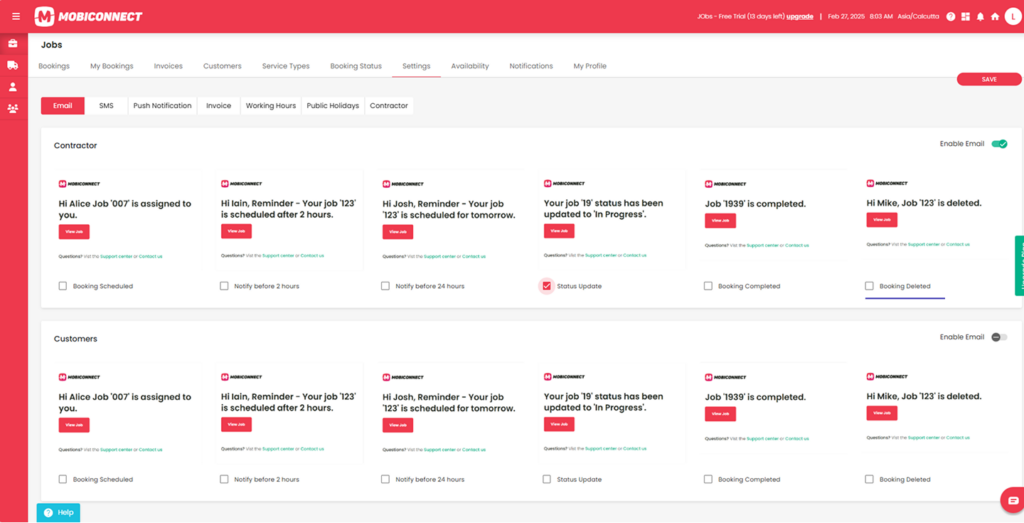
You can enable or disable automated notifications through communication channels like Email, SMS, and Push Notifications for contractors and customers. Additionally, you can create and manage custom notifications to send to contractors.
Email Notifications :
Allow you to set up alerts for scheduling, reminders, status updates, and job completion.
Twilio SMS Integration :
Allows you to automate messaging by connecting your Twilio account using the SID, token, and numbers. This ensures reliable delivery of booking and status updates.
Push Notifications :
This allow you to send real-time updates directly to users’ devices, keeping them informed about bookings and operational changes.
Configure Notifications:
Create and manage job-related notifications with customisable messages, recipient selection(contractors), and tracking for status and delivery.
Invoice Notifications
Enable or disable automated invoice reminders for customers
Manage email and SMS alerts for invoicing with customisable reminder timings. Notifications include immediate invoice dispatch after job completion and reminders sent 7, 14, 30, or 60 days before the due date. Apply and save settings to ensure timely alerts.
Set Working Hours
Configure and manage working hours for contractors or business operations with flexible scheduling. Set daily availability, mark days as unavailable, or enable 24-hour service. Define custom time slots using start and end times, and easily update settings with save and edit actions.
Configure Public holidays
Manage and set public holidays to control job scheduling with a calendar view for easy management. Add, edit, or delete holidays by selecting a date, entering a title, and optionally adding a message. Use the “Allow Bookings” checkbox to permit or restrict job scheduling on holidays.
Contractors
Manage your communication preferences with contractors , allowing you to choose Email, SMS, or Phone and save your settings seamlessly.
Availability
View team schedules and real-time updates with the Availability.
Displays a calendar view showing the availability of both the contractor and team members.